
Name-Based Case Searches
Missouri Case.net is the public entry point for a Randolph County case search. The official instructions describe four ways in. The options are Litigant Name, Filing Date, Case Number, and Scheduled Hearings & Trials. Type the name as it appears in the case file. Then narrow the results to Randolph or the 14th Judicial Circuit. One caution is worth repeating, because a name result is only an index. It never proves every document is open to view. The site blocks automated traffic. So the exact labels and options may look different when you arrive. Confirm them in the live interface.
A full case number beats a common name every time. Without one, run the surname. Add a first name. Then compare the case type, filing date, division, and caption until the right matter appears. Some protected people are left out of the name index entirely. A blank result is not the end. Use a known number or call the Circuit Clerk before giving up.
- Open Case.net and select the Litigant Name Search mode named in the official court instructions.
- Enter the litigant surname and add a first or middle name only when it helps separate similar results.
- Choose Randolph County or the 14th Judicial Circuit if the live search offers a court or county filter, then review the case category and filing date.
- Open the matching case header and compare its parties, docket entries, setting information, and status with the record you need.
| Case.net field | Type | Required | Use in a Randolph search |
|---|---|---|---|
| Litigant Name Search | Mode or link | Choose one mode | Officially listed public search route. |
| Last Name | Text | Unspecified | Enter the party surname, not a protected victim or witness name. |
| First Name | Text | Unspecified | Narrows a common-name search. |
| Middle Name | Text | Unspecified | Optional narrowing field; verify its live placement. |
| Include Alias Information | Checkbox or control | Unspecified | Official help identifies an alias-broadening option. |
| Search for cases in | Dropdown | Unspecified | Select Randolph or the relevant division when the live form supplies it. |
| Filing Date Search | Mode or link | Choose one mode | Officially listed date-range route. |
| Filing Date From and To | Date | Unspecified | Reduces a broad result set; verify live date format. |
| Case Number Search | Mode or link | Choose one mode | Direct route for the complete number. |
| Case Number | Text | Likely in this mode | Include year, location, category, sequence, and suffix where present. |
| Scheduled Hearings & Trials | Mode or link | Choose one mode | Officially listed hearing-date route. |
| Hearing or Trial Date From and To | Date | Unspecified | Search a future or past setting range. |
| Search or Reset | Button | Action | Search is documented; verify any reset label in the live interface. |
Note: Case.net search modes come from the official instructions. The blocked form's full option list may hold more.
Randolph County Case.net Search Modes
Each of the four official routes answers a different Randolph County search problem. Litigant Name Search fills in. Use it when the case number is a mystery. Filing Date Search works well for a known window of time. Case Number Search jumps straight to one file. Scheduled Hearings & Trials Search fits a date-focused hunt. Its results should always be checked against the case docket itself. After a result opens, the Missouri Courts public instructions describe a Track This Case function. One limit is spelled out there. Fine Collection Center cases cannot use tracking.
Know what each result actually is. A filing-date search returns cases opened in a range; a hearing search returns calendar events. Neither one replaces the current notice from the court. If the record shows a reset, continuance, or pass, look for the latest setting. Verify any important date with the Circuit Clerk or the assigned court office.
Case Number Searches
Use the complete case number whenever you have it. Missouri Court Operating Rule 4 lays out a statewide structure. It may include a two-digit filing year, a location identifier, a case-category code, a five-digit sequence, and a subcase code. Older appellate materials tied to Randolph show the pattern, such as 13RA-CV01331 and 13RA-CR00592-01. The RA marks the location and CV or CR the category. Those examples are illustrative, though. Nothing promises that every current Randolph County number carries the same punctuation or suffix.
The category letter tells you the docket type. CR marks criminal, TR traffic, IN infraction, CV civil, JU juvenile, PR probate, FC family, and MU municipal. TC stands for treatment court. Some lesser traffic matters are filed under a uniform citation number instead. Copy the number exactly as written. Before calling the clerk, check for a missing subcase, a changed category, or a transfer.
- Case header
- The opening record area that identifies the case number, caption, court or division, filing date, status, and disposition.
- Docket entry
- A dated line in the case chronology that records a filing, notice, setting, order, judgment, or other court event.
- ECASE
- An electronic-only case file. Public document access can still depend on security rules and the courthouse terminal.
Randolph County Moberly Case Search
Moberly cases take a different path. The city's municipal court closed in December 2018, and its cases moved to the 14th Circuit Court in Huntsville. So a newer Moberly ordinance or traffic matter now runs through the Randolph County court system rather than a separate municipal docket. Older matters can hide anywhere. Ask the Circuit Clerk whether the record lives in the current index, on paper, on microfilm, or in an archive.
For city questions, the Randolph County Clerk city contact directory lists local offices and their details. It is context only. No directory listing makes a city office the keeper of a circuit-court file. Court-record questions still belong with the Circuit Clerk.
A city contact can settle small administrative details. To find the actual judicial case record, stay with the court's docket and the clerk.
Case Search Results Explained
When a Randolph County result opens, read the header first. It carries the case number, court, division, and judge. The caption, filing date, category, current status, and disposition appear there too, where public. The chronological docket below it gives the sequence of events. Treat each entry as a step, not a story. A motion, notice, order, or hearing entry records that the step happened. It does not always show the document's full text. Eligible linked filings may open through File Viewer. Yet a secure or confidential item can stay unavailable even on an otherwise public case.
| Case number | The unique search key, often showing year, Randolph location, category, sequence, and sometimes a subcase. |
|---|---|
| Style and parties | The formal caption and public party roles used to distinguish similar cases. |
| Category and division | The case type and court assignment, such as CR, CV, TR, probate, family, associate, or municipal. |
| Docket entries | The dated record of filings, notices, hearings, orders, judgments, payments, or transfer events. |
| Settings and status | The scheduled date, time, division, judge, setting type, and public disposition or current case status. |
Need the pleading, order, or certified judgment itself rather than the docket index? Use the request routes explained with Randolph County court case records.
Randolph County File Viewer Access
Case.net and the documents behind it sit at different layers of access. File Viewer sorts items into public, secure, and confidential categories. An ECASE label tells you the electronic record is the case file itself. It does not mean every item is open. And note that eFiling is not a separate public Randolph County search portal. When a document will not load remotely, the courthouse public-access terminal is the official fallback. Court Operating Rule 4 requires public-access equipment for court records. The File Viewer instructions say court staff can log public users in to inspect eligible documents. Bring the full case number. Add a document title or date, and a clear request. The Circuit Clerk's counter can also help. Ask whether a plain or certified copy is available. Call or email before you mail anything. The clerk posts no Randolph-specific copy-request form, fax workflow, payment method, or turnaround estimate.
Two Ways to Search: County and State
Randolph County publishes no docket database of its own. Case.net serves as the statewide public index for participating Missouri courts, while the Randolph County Circuit Clerk holds the local case file and confirms what the statewide site cannot. That split matters most for an older paper file, a public-terminal document, a restricted-record explanation, or a certified copy. The state system is the first layer of a docket search. It does not replace the office that keeps the official record.
| Route | What it provides | Best use |
|---|---|---|
| Missouri Case.net | Free public case information, docket entries, search modes, and eligible document access. | Start a Randolph County name, number, filing-date, or hearing-date search. |
| Courthouse public terminal | Staff-enabled access to eligible electronic public files, including some ECASE matters. | Check a document that is not remotely available. |
| Randolph County Circuit Clerk | Case custody confirmation, counter inspection, copies, certification, phone and email assistance. | Resolve an uncertain result, request a record, or verify a current setting. |
The Circuit Clerk's official office page lists Suite 1A at 372 Highway JJ in Huntsville, phone 844-277-6555 ext. 400, email michelle.chapman@courts.mo.gov, and weekday hours of 8:00 a.m. to 4:30 p.m. Confirm by phone before mailing a request. The clerk publishes no local mailing instructions or court-request form.
Randolph County Federal Docket Search
A Randolph County Missouri Circuit Court matter belongs in Case.net, not a federal system. A federal case belongs in PACER. Randolph County sits in the Northern Division. That division is part of the U.S. District Court for the Eastern District of Missouri. The PACER Case Locator allows a nationwide or court-specific search once you register an account. PACER is a separate federal docket and document service. It never substitutes for a Missouri state docket. Pick the court system first, then work with that system's case number and search route. The official federal search service shows how that division works in practice.
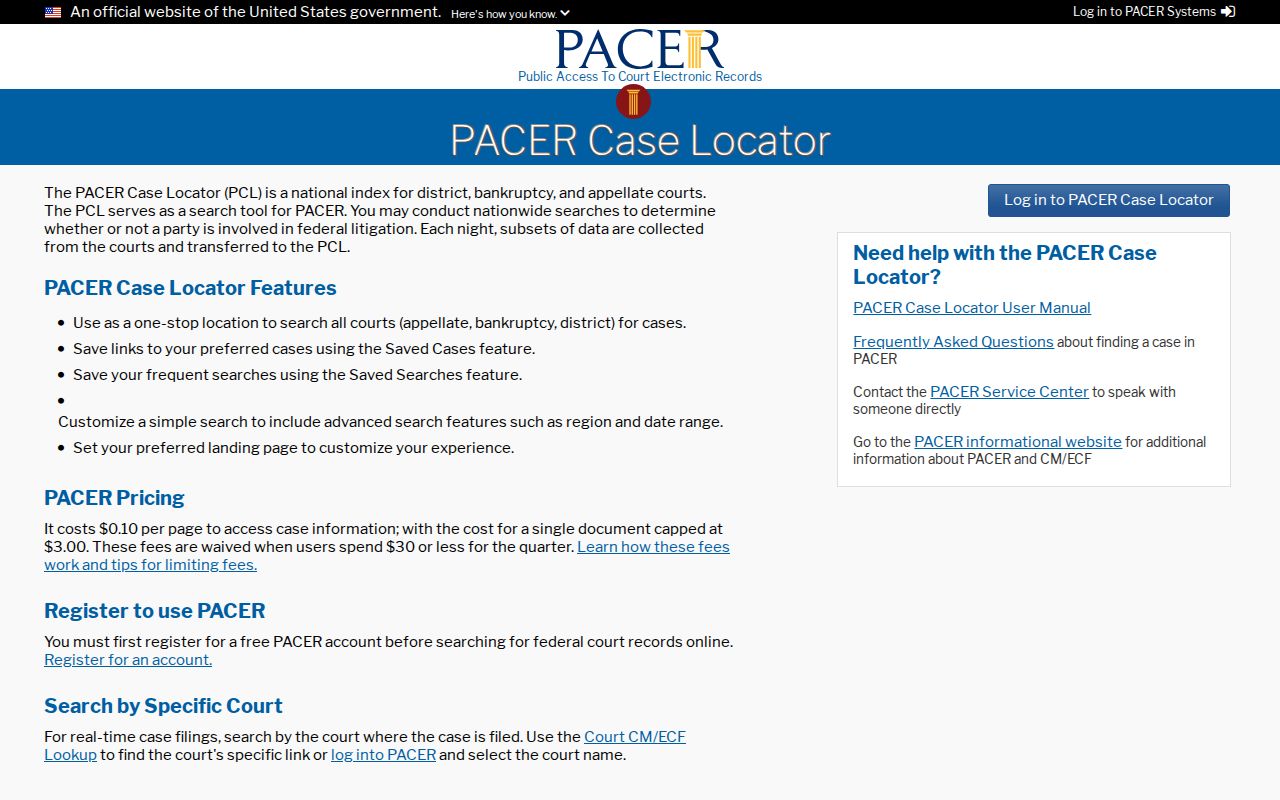
Federal or state? Federal documents and certifications run through the federal court system. The Randolph County Circuit Clerk stays the custodian for state-court records.
Which Cases Stay Restricted
Missouri puts real limits on public access. Juvenile, adoption, mental-health, sealed, expunged, protected-victim, confidential filing-sheet, and other restricted material may be absent, redacted, or reduced to limited metadata on a court docket. A public header can sit beside a confidential attachment. Full Social Security numbers, day and month of birth, confidential addresses, financial-account details, and other protected identifiers have no place on the public docket. Missouri's access rules presume ordinary court records are open to inspection, yet they also shield records made confidential by statute, rule, or court order. So a missing name result does not prove no case exists. A protected person's name may not be searchable. An expunged case is not an ordinary public result. A sealed file can show little or nothing. Try the exact case number and the likely division first. Then ask the Circuit Clerk whether the office can state the custody and access status or explain the court review process. Only the court can decide an unsealing request.
Access rule: Missouri Court Operating Rule 2 addresses public access to judicial records. RSMo §211.321 governs juvenile-record confidentiality, while RSMo §610.140 provides the expungement framework.
Randolph County Federal File Route
Two federal tools do different jobs. The Eastern District's CM/ECF system runs the filing engine. PACER is the normal public docket route. The Eastern District Court Information page gives the federal format as O:YY-TY-#####-INI-RIN, with 4:26-cv-01370 as an example. That numbering has nothing to do with a Missouri RA-CV or RA-CR case number. Keep the two systems apart when a search returns no state result. The official court-information page shows the federal system's separate identity. It helps you tell an Eastern District file from a Randolph County docket.
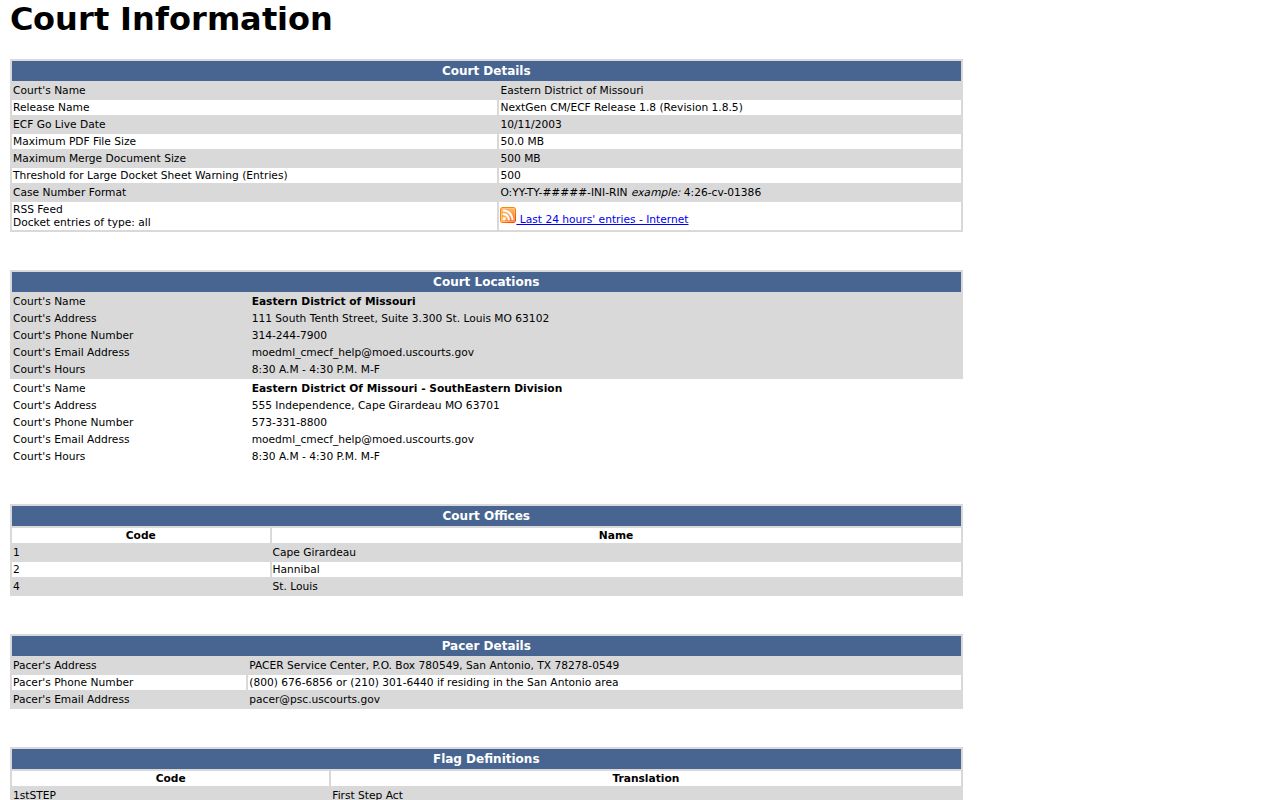
A federal search can point you to the right court and docket. But no federal result changes the custody or access rules for a Randolph County state case.